Getting a hacked site clean and keeping it that way can be a lot of work if you do it in the wrong order. If you're wondering if your website has been hacked - or even how to tell - check out this article: How to tell if your website has been hacked.
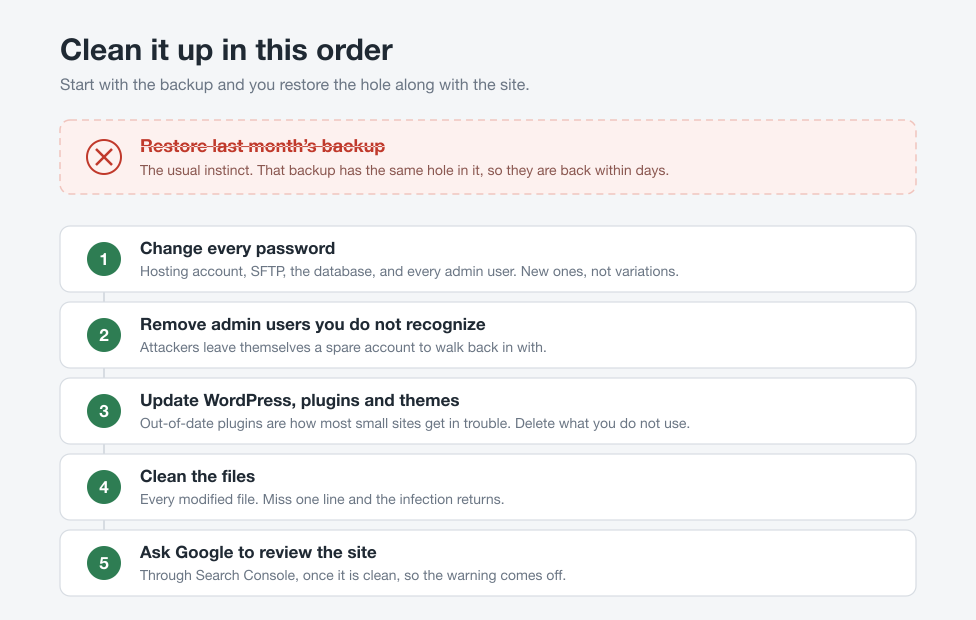
The instinct is to restore last month's backup and move on. Do not do that first. The backup from last month could have the same security hole that let the attacker in, and they'll be back inside within days.
Clean it up in the right order
- Change every password. Your hosting account, SFTP, the database, and every admin user on the site. Use new passwords, not variations of the old ones.
- Remove admin users you don't recognize. Attackers often leave themselves a spare account so they can walk right back in after you clean up. Log in and look at your user list.
- Update WordPress, plugins and themes. Out-of-date plugins are how most small sites get hacked. Update everything, and delete any plugin or theme you're not using.
- Clean the files. Remove the malicious code, or restore from a backup taken before the infection started if you can pin down when that was.
- Ask Google to review the site through Search Console once it's clean, so the warning comes off.
Finding every file an attacker modified across a WordPress install is tedious, and if you miss one line in one file, the infection comes back.
When to pay someone
Before you buy anything, check what your hosting company already includes. Some hosts will clean a hacked site for free as part of their plan, or at a reduced rate for their customers. A support ticket costs nothing and might save you a couple hundred bucks.
If that comes back no, or you just don't want to spend a weekend on this, Sucuri is who I'd use. They'll clean the site, get it removed from the Google blacklist, and put a firewall in front of it so the same thing doesn't happen again next month. You can buy the cleanup as a one-time thing without signing up for an ongoing subscription, which suits most people in this spot.
The thing I like about Sucuri is they have a free Sitescan Checker that looks at your site and tells you what it finds, so you know ahead of time if it'll be worth paying for the fix.