Question: Have you any info on formatting the memory chip for a camera after deleting all the photos? I tried to make an 8×10 enlargement of our family photo.
The film developer recommended using a higher resolution. I figure it doesn’t get much better than a D50 so I asked the clerk what to do. She said that if a memory chip is emptied but not reformatted, the photo (that was deleted) is actually still there and can bleed onto the new photo taking it’s space.
Do you have any input on this? The photo is great but if you look close, it definitely could use better resolution.
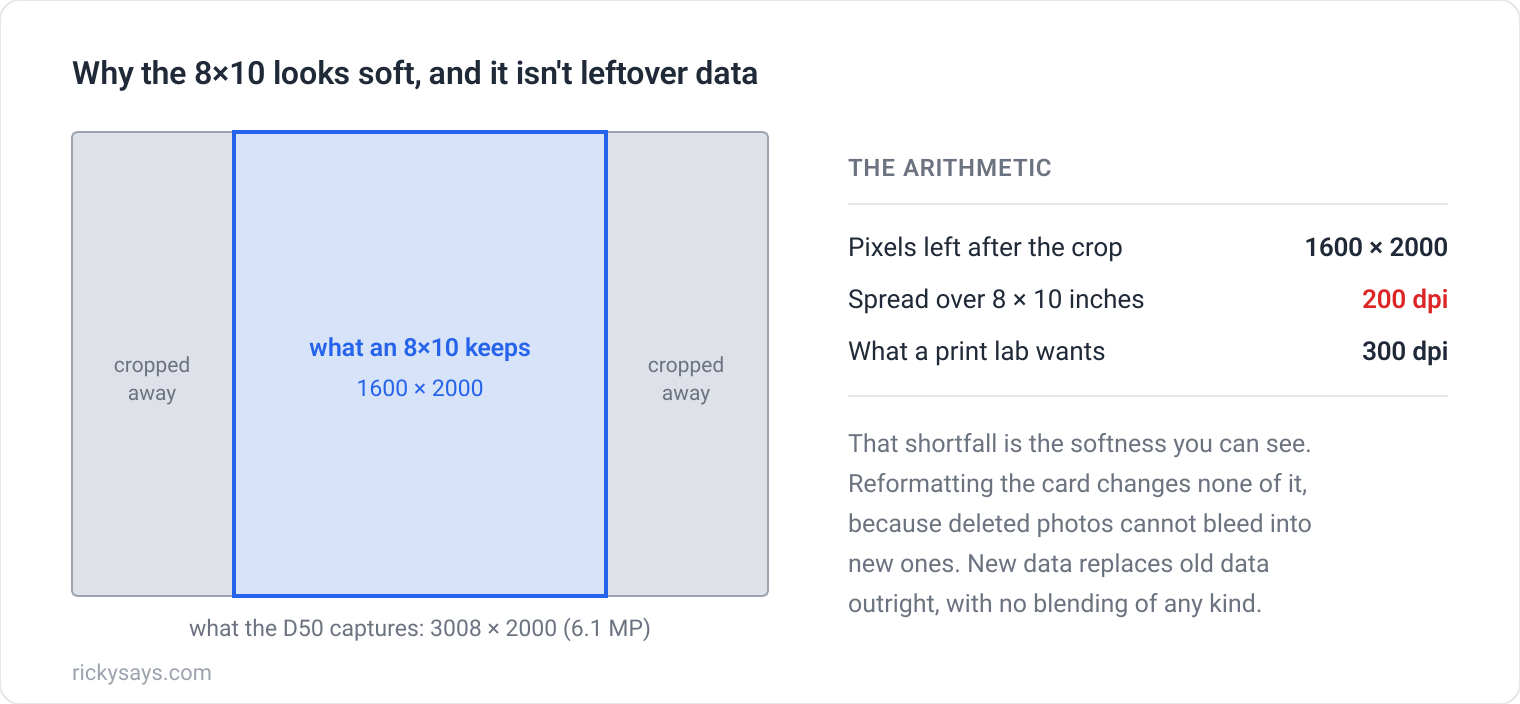
Answer: Your clerk was mistaken, and you can stop worrying about it. Deleted photos cannot bleed into new ones. When the camera writes a new image, it replaces those bytes outright. There is no blending, no ghosting, and no leftover data mixing into the picture. Formatting the card is good housekeeping and it keeps the file system tidy, but it has no effect on image quality.
Before you format, one thing worth knowing. Formatting clears the card’s index rather than wiping the photos, so if you later realize something you needed was on there, a free recovery scan can often still find it. What ruins the odds is writing anything new to the card, so stop shooting with it the moment you suspect you need something back.
The softness in your 8×10 has a much more ordinary cause. A D50 shoots 3008 × 2000 pixels, which is 6.1 megapixels and plenty for most prints. An 8×10 is a different shape than what the camera produces, so making one means cropping away the sides, and you are left with roughly 1600 × 2000 pixels. Spread across 8 by 10 inches, that works out to about 200 dots per inch, where labs generally want 300. That gap is what you are seeing when you look closely.
Two things help. Shoot at the camera’s largest size and finest JPEG quality so you are not throwing away detail before you start, and if you know a print is coming, frame a little loose so the crop to 8×10 costs you less. For prints past 8×10 from a 6-megapixel camera, a good lab can upscale better than your home printer will.