If you're a Mac user but need to run an app that only works on Windows, this article will help you think through your options.
Here are a few common examples: a college class requires Visual Studio, MATLAB, SOLIDWORKS or ArcGIS. Your accountant wants QuickBooks Desktop. Someone emailed you a Microsoft Access database. Whatever the trigger, the question is the same: how do you run a Windows program on a Mac?
The short answer is a virtual machine — software that runs Windows inside a window on your Mac alongside everything else, letting you copy and paste between the two, share files, and switch back and forth without restarting. The longer answer depends on which Mac you own and which Windows program you need.
Check which Mac you have
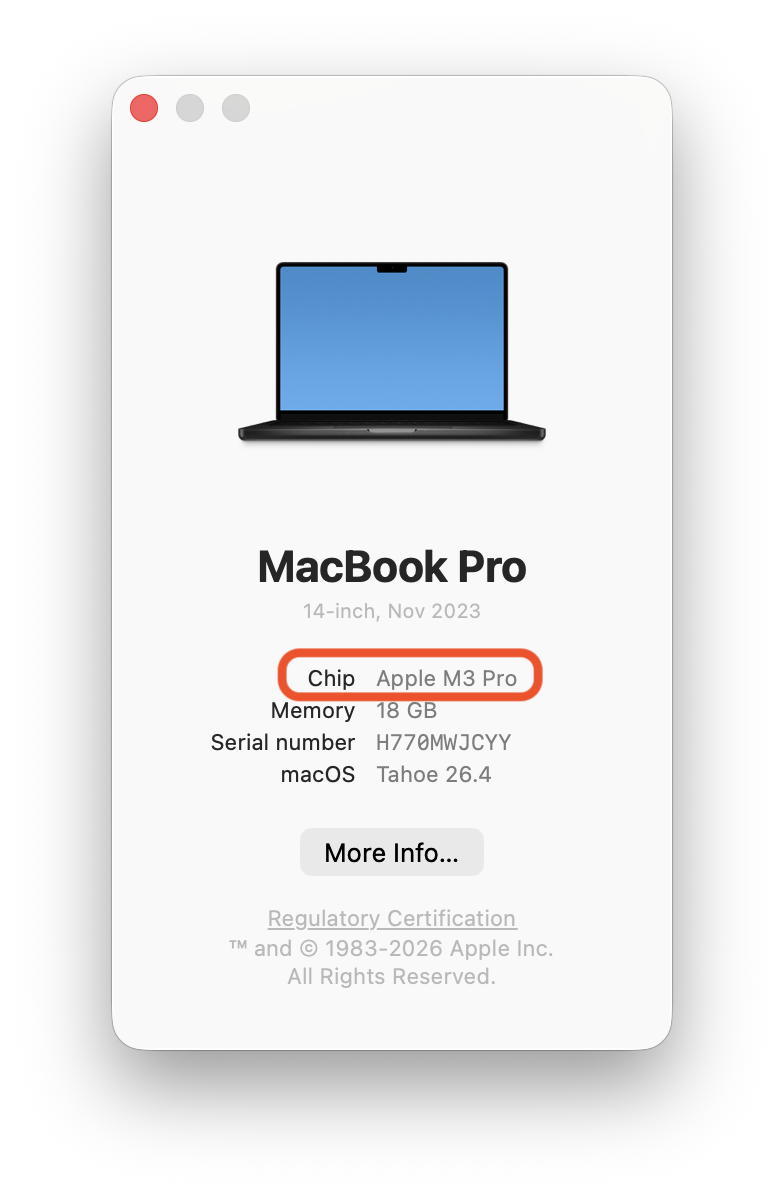
Click the Apple menu, choose About This Mac, and read the line that says Chip. If it says Apple M1, M2, M3, M4, or anything starting with M, you have an Apple Silicon Mac. If it says Intel, you have an Intel Mac.
This matters because a lot of websites still tell people to use Boot Camp, which was Apple's built-in way to install Windows on a Mac and reboot into it. Boot Camp only runs on Intel Macs, and Apple stopped selling those around five years ago. Apple Silicon Macs start up differently and have no way to install Windows the Boot Camp way. If you have an Apple Silicon Mac, Boot Camp is no longer an option.
What works on Apple Silicon
On an Apple Silicon Mac, the working answer is a virtual machine running Windows 11 for ARM. The ARM version of Windows has built-in translation that lets it run most ordinary x64 Windows programs: Microsoft Office, Access, Project, Visio, QuickBooks Desktop, Visual Studio, and the large majority of business and productivity software.
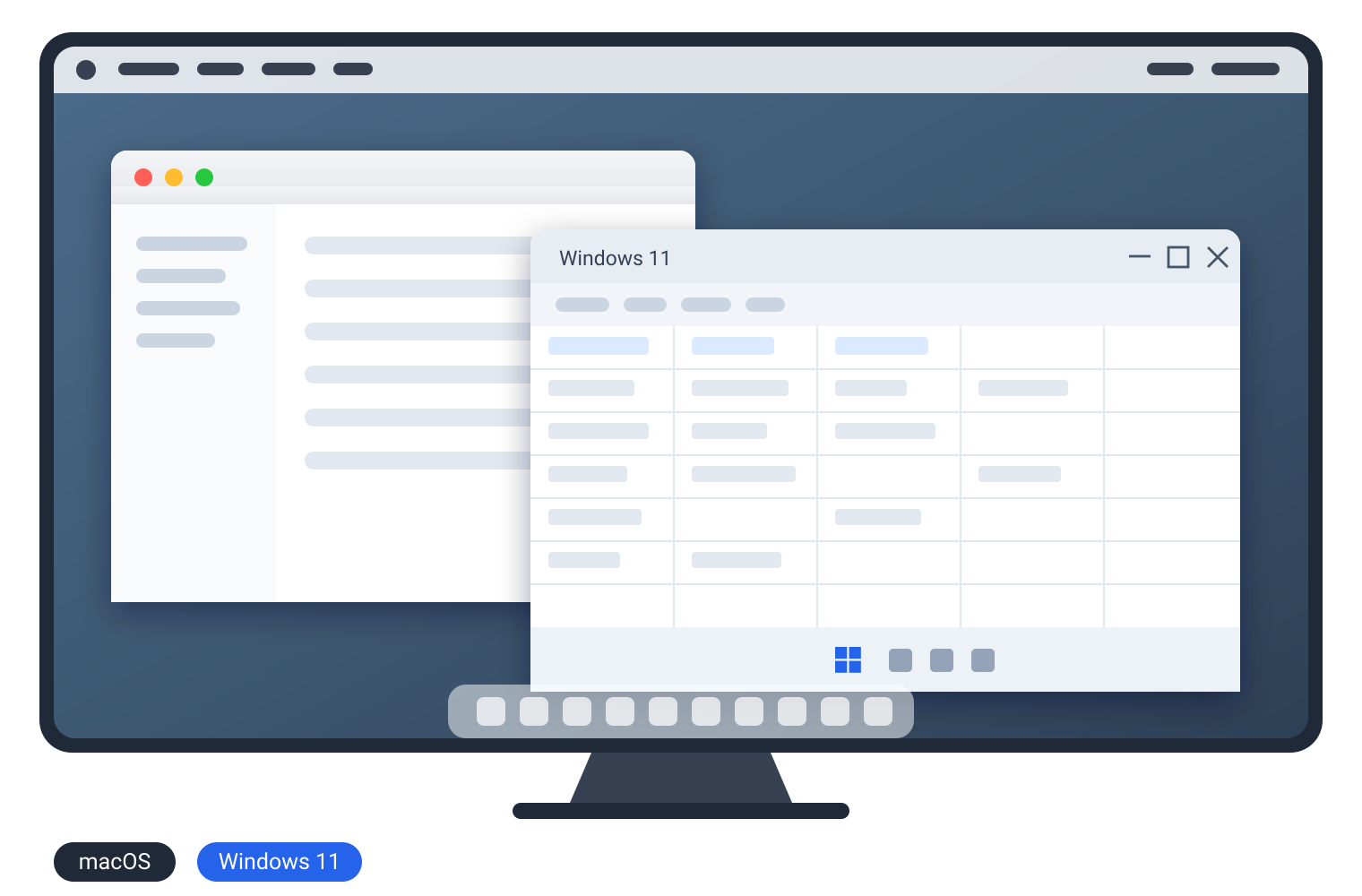
Some things do not work: games with kernel-level anti-cheat are blocked, software that talks to a specialist hardware dongle sometimes will not see the dongle, and some very old 32-bit programs refuse to run under translation. If the program you need falls into one of those categories, a virtual machine is not the answer and you need a Windows PC, but in the majority of cases it will work fine and you'll be able to seamlessly run Windows apps inside your Mac. You can even have a Windows app running side-by-side with a Mac app, like this:
Here are some options for virtual machines:
Parallels Desktop
Parallels Desktop installs Windows 11 in one click. You download Parallels, open it, click the button that says install Windows 11, and about fifteen minutes later Windows is running in a window on your Mac. It is the only route Microsoft has authorized for running Windows 11 on ARM on Apple Silicon, which is worth knowing if you care about being on a supported setup.
Through Monday 23 November 2026, Parallels is running 50% off the Standard and Pro editions with coupon code PD50, and 35% off the Business edition with code PD35.
Free alternatives
Parallels is the industry standard and will give you the best experience, but there is another option to consider.
VMware Fusion has been free with no license key since Broadcom changed its licensing in November 2024, for both personal and commercial use. UTM is free and open source. Both will run Windows 11 for ARM on an Apple Silicon Mac.
The biggest difference is setup and support. Parallels does the installation for you and has a support phone number when something breaks. Fusion and UTM ask you to download a Windows 11 ARM image yourself, work through the installation, and troubleshoot on forums if it misbehaves. If you are comfortable with that, you can try it out. If not, convenience is what Parallels is charging for.
On M-series Macs, Parallels also supports Coherence Mode, allowing Windows apps to run directly on your Mac desktop alongside native Mac windows. VMware Fusion's equivalent (Unity Mode) does not work on Apple Silicon.
How much memory you need
Regardless of what you choose, you'll need to make sure your Mac has enough memory because Windows takes its own share of your Mac's RAM while it runs. The Mac does not get it back until you shut Windows down.
An 8GB Mac is fine for a single class app or Microsoft Office in Windows, but it struggles with anything heavier. 16GB is comfortable for most people. Large CAD or 3D work such as SOLIDWORKS or Revit wants 16GB at an absolute minimum and more if you have it.
Alternatives that don't require a Virtual Machine
Before you buy or install anything, check whether you need a virtual machine at all.
A lot of Windows-only programs now have web versions that run in Safari — Microsoft 365, QuickBooks, and ArcGIS all have browser versions. If the web version does what you need, then use that.
If there is a Windows PC somewhere else in the house, you can remote into it from your Mac and use it as though you were sitting in front of it. Microsoft Remote Desktop is free in the Mac App Store.
And if only one heavy program needs Windows and you expect to use it for years, a used Windows laptop from Craigslist or Facebook Marketplace can cost less than two years of Parallels subscriptions, and SOLIDWORKS or Revit will run better on its own hardware than inside a virtual machine on an 8GB Mac.
Leave a comment