Question: How can i transfer my Videos taken/captured on my Cell Phone Sanyo M1 and transfer them to my PC? Your input will be greatly appreciated.
Chaloo
Answer: The Sanyo M1 is a great phone, and you can transfer videos to your PC by using a USB Data Cable that provides a link between your phone and PC, or with Bluetooth that gives you a wireless connection.
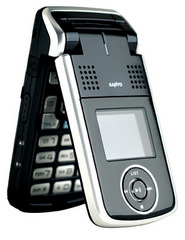
USB Data Cable
You can transfer as many videos, photos or ring tones as you like to your cell phone for free using a USB Data Cable that connects your computer to your cell phone.
Windows XP or Windows Vista don’t come with software to recognize your phone and handle the file transfer, so you’ll need a copy of DataPilot, which works with all major phone types.
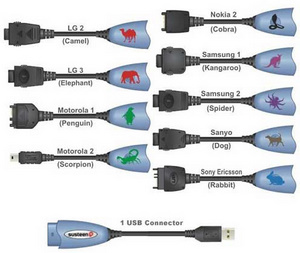
Fire up DataPilot, and plug one end of the usb data cable into your phone and the other end into the usb port on your computer. DataPilot will display a list of the existing photos, ring tones, and videos on your cell phone.
Choose the folder on your PC that contains the files you want to move, select the files (or folders) and click the transfer button to copy them over to your cell phone. You can also copy the other way, and use DataPilot to transfer photos or ring tones from your cell phone to your computer.
You can buy a usb data cable on the DataPilot website if you don’t have one already, and their software works with all major phone types.