Can I read Kindle books on my laptop?
Question: I have a lot of books on my Kindle, but sometimes I’d like to read them on my laptop instead of on my Kindle. Is there a way to do that?
Practical answers and advice for tech, home, and everyday life.
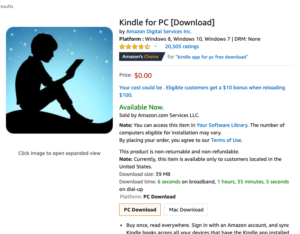
Question: I have a lot of books on my Kindle, but sometimes I’d like to read them on my laptop instead of on my Kindle. Is there a way to do that?
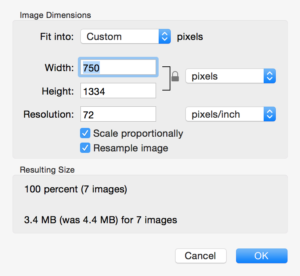
Batch-resize your images on a Mac and reclaim disk space without opening each photo one by one.
Question: I need to send faxes but I don’t have a fax machine. Is there a way for me to send and receive faxes using email?
Answer: Yes, you can send and receive faxes without owning a fax machine, just by using software that converts your email program into a fax service. It’s called email faxing, and here’s how it works:
You install software on your computer that links your email account with your fax number through an email faxing service. When you want to send a fax, you instead send an email and the service converts it to a fax message and delivers it immediately. Simply attach the document you’d like to fax to an email. Input the number of the fax machine to which you’d like to send the fax, and the software handles the rest. You can also send your faxes to multiple recipients online, so you don’t have to repeat the procedure again and again (with a new cover letter each time).
Whether you’re a PC, Mac, or Linux user there is one common document format that’s viewable across multiple operating systems – the Portable Document Format… commonly known as PDF and viewable with Adobe’s free Acrobat Reader.
Tired of that iPhone or just switched to an Android? Here’s how to wirelessly transfer your photos, videos, and documents from your iPhone to your Android (or vice versa) using your wireless network with no data cables required.